Introduction
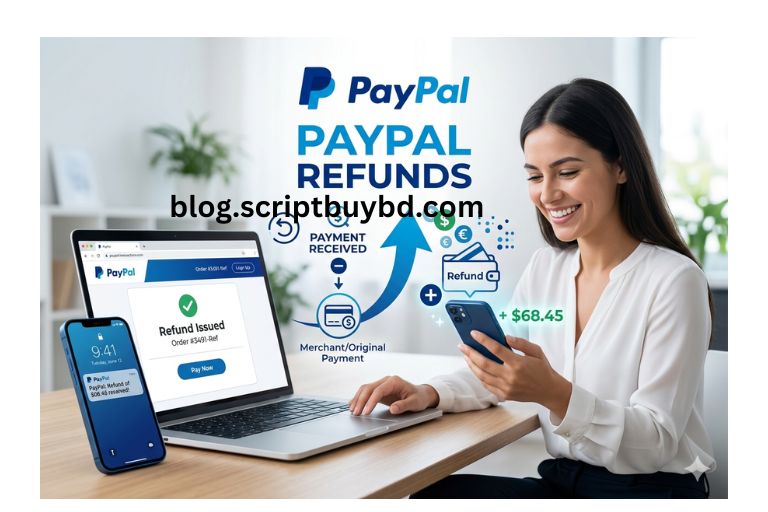
PayPal is one of the world's most trusted online payment platforms, offering secure transactions for millions of users. Its refund system allows buyers to request money back for eligible purchases, while also providing sellers with a structured process for resolving issues fairly. From contacting th...
Full Details
PayPal is one of the world's most trusted online payment platforms, offering secure transactions for millions of users. Its refund system allows buyers to request money back for eligible purchases, while also providing sellers with a structured process for resolving issues fairly. From contacting the seller directly to filing a formal dispute, PayPal offers multiple ways to resolve payment problems.In this complete guide, you'll learn exactly how to request a refund from PayPal, how long refunds take, what transactions qualify, and what to do if a seller refuses your request. We'll also cover PayPal Buyer Protection, dispute resolution, common refund issues, and practical tips to improve your chances of a successful outcome.
What Is a PayPal Refund?
A PayPal refund is the return of funds from a completed transaction back to the buyer. Refunds can be issued voluntarily by the seller or processed through PayPal's dispute resolution system when a transaction qualifies for Buyer Protection.
Common situations where you may need a PayPal refund include:
You paid for an item that never arrived.
The item received was damaged or significantly different from the listing.
You were charged incorrectly.
You sent money to the wrong recipient.
A service was canceled or not delivered as promised.
You noticed an unauthorized transaction.
How to Request a Refund from PayPal
Requesting a refund from PayPal is usually a simple process. In most cases, contacting the seller directly is the fastest and easiest option.
Step 1: Log In to Your PayPal Account
Visit the official PayPal website or open the mobile app, then sign in to your account.
Step 2: Go to Your Activity Page
Navigate to the Activity section to view your recent transactions.
Step 3: Select the Transaction
Find the payment you want refunded and click on it to open the transaction details.
Step 4: Contact the Seller
Use the contact information provided in the transaction details to message the seller. Politely explain the issue and request a refund.
Step 5: Wait for the Seller's Response
If the seller agrees, they can issue the refund directly through PayPal.
How Long Does a PayPal Refund Take?
Refund processing times vary depending on the original payment method.
PayPal Balance Refunds
Refunds to your PayPal balance are often processed almost immediately.
Credit or Debit Card Refunds
Card refunds typically take 3 to 5 business days, though some banks may require up to 30 days.
Bank Account Refunds
Refunds to linked bank accounts usually take 3 to 10 business days.
What If the Seller Refuses to Refund You?
If the seller does not respond or declines your request, you can open a dispute through PayPal's Resolution Center.
When to Open a Dispute
You should consider opening a dispute if:
Your item never arrived.
The item is significantly different from the description.
You were charged without authorization.
The seller is unresponsive.
How to Open a Dispute in PayPal
Step 1: Access the Resolution Center
Log in to PayPal and go to the Resolution Center.
Step 2: Select the Transaction
Choose the transaction associated with your issue.
Step 3: Describe the Problem
Provide a clear explanation, including relevant details and supporting evidence.
Step 4: Submit Your Dispute
Once submitted, PayPal will notify the seller and open a communication channel.
How to Escalate a Dispute to a Claim
If you cannot reach an agreement with the seller, you can escalate the dispute to a claim. At this stage, PayPal reviews all evidence and makes a final decision.
Evidence You May Need
Order confirmation emails
Payment receipts
Shipping or tracking details
Photos of damaged items
Screenshots of conversations
Understanding PayPal Buyer Protection
PayPal Buyer Protection helps safeguard eligible purchases when something goes wrong with your order. It is designed to give buyers confidence when shopping online by offering reimbursement in specific situations.
Your order does not arrive.
The item differs significantly from the seller's description.
You receive a counterfeit item.
Transactions Typically Not Covered
Personal payments sent using Friends and Family
Real estate transactions
Motor vehicles
Certain custom-made products
Some digital goods and services
Can You Cancel a PayPal Payment?
Yes, but only under certain conditions.
Unclaimed Payments
If the recipient has not yet accepted the payment, you may be able to cancel it immediately.
Completed Payments
For completed payments, you must request a refund from the recipient.
How to Check Your PayPal Refund Status
To track your refund:
Log in to PayPal.
Go to the Activity page.
Select the relevant transaction.
Review the refund status.
Possible statuses include:
Pending
Completed
Refunded
Reversed
Common Reasons for PayPal Refund Delays
Several factors can delay your refund:
Bank processing times
Credit card issuer review periods
Weekends and public holidays
Currency conversion processing
Additional verification requirements
Tips to Increase Your Chances of Getting a Refund
Contact the seller first.
Be polite and professional.
Keep all receipts and communication records.
Provide clear evidence.
File disputes within 180 days.
Monitor your case regularly.
Frequently Asked Questions
Can I Get a Refund for Friends and Family Payments?
Generally, no. Friends and Family payments are not covered by PayPal Buyer Protection.
How Long Do I Have to Request a Refund?
You can typically open a dispute within 180 days of the transaction date.
Can a Seller Refuse a Refund?
Yes, but PayPal may still decide in your favor if your claim qualifies under Buyer Protection.
Will I Be Charged a Fee for a Refund?
Buyers are generally not charged fees for receiving refunds.
.jpg)