Introduction
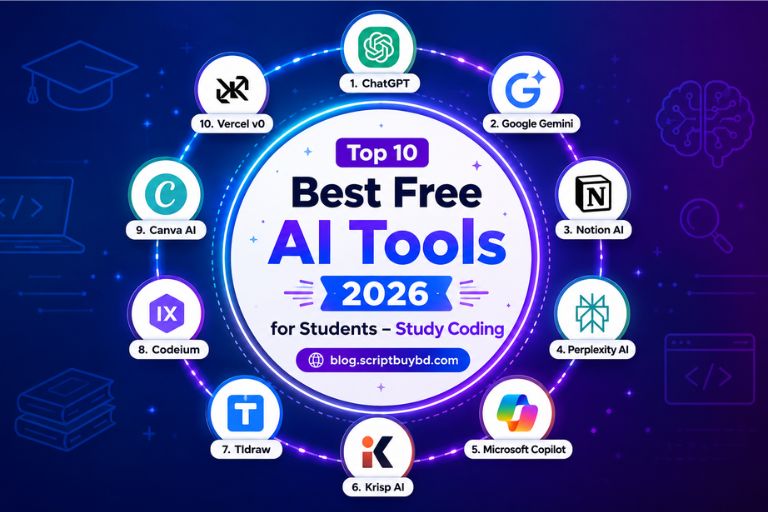
As a student, managing classes, assignments, exams, research, and personal responsibilities can often become stressful and time-consuming. In today’s digital era, smart students are improving their learning experience by using the best free AI tools to study more efficiently and productively. AI-pow...
Full Details
As a student, managing classes, assignments, exams, research, and personal responsibilities can often become stressful and time-consuming. In today’s digital era, smart students are improving their learning experience by using the best free AI tools to study more efficiently and productively. AI-powered tools have transformed modern education by helping students enhance productivity, simplify research, improve writing skills, and learn complex topics faster.
After extensive testing and valuable feedback from students at Education Group, we have carefully selected the top free AI tools for students in 2026. Whether you need help with essays, note-taking, coding, presentations, or daily study tasks, these powerful AI tools can help you study smarter, save time, and achieve better academic results.
- 1. NotebookLM – Your Smart AI Study Notebook
- 2. Google Gemini – AI Inside Google Workspace
- 3. Grammarly – Write with Confidence
- 4. QuillBot – Smart Rewriting & Paraphrasing Tool
- 5. ChatPDF – Talk Directly with Your Textbooks
- 6. ChatGPT – The Ultimate AI Study Buddy
- 7. Notion AI – Stay Organized Without Stress
- 8. AskCodi – Your AI Coding Assistant
- 9. Tutor AI – Your Personal AI Teacher
- 10. Gamma AI – Create Professional Presentations Easily
- AI Tools Comparison Table
- How to Use These AI Tools Together
- Bonus AI Tools for Students
- Frequently Asked Questions (FAQs)
- Final Conclusion
1.NotebookLM – Your Smart AI Study Notebook

Google’s NotebookLM is one of the best free AI tools for students in 2026. It helps students organize lecture notes, research papers, PDFs, and study materials into a smart AI-powered workspace. Instead of manually searching through long documents, students can simply ask questions like “Summarize Chapter 4” or “Explain this topic in simple language”, and NotebookLM instantly provides accurate, context-aware answers.
The platform works like a personalized AI study assistant, making revision faster, smarter, and more efficient for exams, assignments, and daily learning.
New Features & Updates in 2026
- Advanced slide and presentation summarization
- Smarter context-aware note tagging
- Improved cross-document reference linking
- Faster AI-generated study summaries
- Better multi-file understanding and research organization
Why Students Love NotebookLM
NotebookLM transforms scattered PDFs, lecture slides, and notes into a searchable AI knowledge base. Instead of wasting time manually reviewing files, students can quickly find explanations, summaries, and important concepts in seconds.
Advantages
- Supports PDF, documents, and slide uploads
- Excellent for exam preparation and revision
- AI understands context across multiple files
- Suggests related study topics automatically
- Helps simplify complex theories and research papers
Disadvantages
- Handwritten note support is still limited
- Works best with clean digital text files
- Some advanced features require Google sign-in and cloud storage access.
2. Google Gemini – AI-Powered Productivity Inside Google Workspace

Google Gemini is one of the most powerful AI tools for students in 2026, designed to work seamlessly with Google Docs, Slides, Gmail, and other Google Workspace apps. It helps students create assignments, research papers, presentations, summaries, and emails faster with AI-powered assistance.
For example, if you need to prepare a presentation about climate change, simply give Gemini a prompt, and it can instantly generate professional slide content, research summaries, and structured outlines within Google Slides.
New Features & Updates in 2026
- Integrated with Gemini Vision for image-assisted research
- Multimodal AI responses inside Docs and Slides
- Smarter AI-generated presentation layouts
- Enhanced visual search and screenshot interpretation
- Faster contextual writing and editing support
Why Students Love Google Gemini
Gemini combines advanced AI writing capabilities with visual understanding, making it ideal for academic research, presentations, assignments, brainstorming, and productivity tasks. Since it works directly inside Google’s ecosystem, students can complete tasks without switching between multiple apps.
Advantages
- Fully integrated with Google Docs, Slides, and Gmail
- Excellent for presentations and academic writing
- Can analyze charts, screenshots, and diagrams
- Helps generate summaries, outlines, and study materials
- User-friendly interface for beginners and advanced users
Disadvantages
- Some premium AI features require paid plans after free limits
- Feature availability may vary by country and Google account type
- Internet connection is required for most AI functions
3. Grammarly – Write Smarter with Confidence

Grammarly is one of the most popular AI writing tools for students in 2026. It helps improve grammar, spelling, punctuation, sentence clarity, and overall writing quality in real time. Whether you are writing essays, assignments, research papers, emails, or scholarship applications, Grammarly ensures your writing remains professional, polished, and easy to understand.
The platform acts like a personal writing assistant by detecting mistakes instantly and suggesting smarter sentence structures, vocabulary improvements, and readability enhancements.
New Features & Updates in 2026
- AI-powered tone prediction for academic writing
- Smart academic style recommendations
- Improved essay and research paper optimization
- Enhanced plagiarism detection with academic databases
- Better sentence clarity and readability analysis
Why Students Love Grammarly
Grammarly not only fixes grammar mistakes but also helps students write more confidently and professionally. It improves sentence flow, structure, and academic tone, making assignments and essays more polished and effective.
Advantages
- Real-time grammar and spelling correction
- Advanced tone, clarity, and style suggestions
- Helpful for essays, applications, and research papers
- Expanded plagiarism checker with academic sources
- Works on browsers, Google Docs, and mobile devices
Disadvantages
- Premium subscription required for advanced academic features
- Some suggestions may not fit creative writing styles
- Occasional overcorrection in informal content
4. QuillBot – Smart AI Rewriting for Students

QuillBot is one of the best AI tools for students who need help with rewriting, paraphrasing, and improving academic content. It helps students transform complicated or lengthy text into clearer, more professional language while maintaining the original meaning.
Whether you are rewriting research papers, improving assignment quality, summarizing content, or generating citations, QuillBot makes the writing process faster and more efficient for students in 2026.
New Features & Updates in 2026
- Context-aware AI paraphrasing modes
- Improved academic tone rewriting
- Smarter citation assistance for research papers
- Better sentence restructuring and readability
- Support for common academic citation formats
Why Students Love QuillBot
QuillBot helps students simplify difficult text and improve sentence clarity without spending hours manually editing content. It is especially useful for essays, assignments, research summaries, and academic writing tasks.
Advantages
- Multiple rewriting modes like formal, concise, and expanded
- Excellent for paraphrasing essays and academic papers
- Built-in citation and grammar assistance
- Improves readability and writing flow
- Simple and beginner-friendly interface
Disadvantages
- Free version has word and usage limitations
- AI-generated rewrites still require manual proofreading
- Some advanced writing modes are only available in premium plans
5. ChatPDF – Talk Directly with Your PDFs

6. ChatGPT – The Ultimate AI Study Companion

OpenAI ChatGPT is one of the most powerful and versatile AI tools for students in 2026. It works as an all-in-one study assistant that can help explain difficult concepts, generate essay outlines, solve coding problems, brainstorm ideas, summarize lessons, and create practice questions for exams.
Whether you are studying science, mathematics, programming, business, or literature, ChatGPT can simplify complex topics into easy-to-understand explanations, making learning faster and more interactive.
New Features & Updates in 2026
- Powered by advanced GPT-5.2 reasoning technology
- Improved step-by-step explanations and problem solving
- Better long-conversation memory and context retention
- Real-time citation suggestions for research tasks
- Smarter academic writing and brainstorming support
Why Students Love ChatGPT
ChatGPT is extremely flexible and can assist with almost every academic task. Students use it for studying, coding help, essay planning, revision notes, research assistance, and learning new skills more efficiently.
Advantages
- Excellent for explanations and concept breakdowns
- Helps with brainstorming, essays, coding, and research
- Supports long and interactive study conversations
- Generates quizzes and practice questions instantly
- Useful across almost every academic subject
Disadvantages
- Information should still be fact-checked for academic accuracy
- Advanced memory and larger context features may require premium access
- Occasionally provides outdated or incorrect information if prompts are unclear
7. Notion AI – Organize Your Studies Smarter

8. AskCodi – Your AI Coding Study Partner

9. Tutor AI – Your Personal AI Teacher

Tutor AI is a smart AI-powered learning assistant designed to provide personalized lessons, quizzes, and study support for students in 2026. It works like a virtual private tutor by adapting learning materials based on a student’s progress, strengths, and weaknesses.
Students can learn different subjects, practice exercises, prepare for exams, and improve understanding through AI-generated explanations and interactive quizzes available anytime.
New Features & Updates in 2026
- AI-powered progress tracking system
- Adaptive quiz generation based on performance
- Topic mastery prediction and learning insights
- Smarter personalized study recommendations
- Improved exam preparation tools
Why Students Love Tutor AI
Tutor AI creates a customized learning experience by focusing on individual progress and weak areas. Instead of generic study materials, students receive targeted quizzes, exercises, and revision plans that help improve learning outcomes more effectively.
Advantages
- Personalized learning and revision plans
- Generates quizzes and exercises automatically
- Excellent for exam preparation and practice
- Provides performance tracking and study insights
- Available anytime without scheduling a tutor
Disadvantages
- Free version has limited quizzes and topics
- Subject depth may vary depending on the topic
- Some advanced learning tools require premium access
10. Gamma AI – Create Stunning Presentations in Minutes

Gamma AI is one of the best AI-powered presentation tools for students in 2026. It helps users create professional and visually appealing presentations within minutes by simply entering a short prompt or topic idea.
Instead of spending hours designing slides manually, students can use Gamma AI to generate structured presentations with polished layouts, clean formatting, and optimized content flow for assignments, class projects, seminars, and presentations.
New Features & Updates in 2026
- AI-generated visual themes and slide styles
- Automated speaker notes for presentations
- Multi-format export options including PDF, PPTX, and video slides
- Improved AI layout and design suggestions
- Faster content structuring and presentation flow optimization
Why Students Love Gamma AI
Gamma AI makes presentation creation incredibly simple and time-saving. It automatically handles design, formatting, and content organization, allowing students to focus more on ideas and research instead of slide editing.
Advantages
- Generates professional presentations quickly
- Easy editing and customization tools
- Great for class projects, reports, and pitches
- Smart layout suggestions based on content
- Supports multiple export formats
Disadvantages
- Free version has limited themes and customization options
- Presentations should still be reviewed for accuracy
- Some advanced design tools are locked behind premium plans
AI Tools Comparison Table for Students (2026)
| Tool | Best For | Free/Paid | Why Students Love It |
|---|---|---|---|
| NotebookLM | Note management | Both | Smart revision and AI-powered Q&A |
| Google Gemini | Writing & research | Both | Integrated directly into Google apps |
| Grammarly | Writing improvement | Both | Makes writing clear and professional |
| QuillBot | Paraphrasing & citations | Both | Fast and simple content rewriting |
| ChatPDF | PDF studying | Both | Quick textbook summaries and answers |
| ChatGPT | General study help | Both | Flexible all-in-one AI assistant |
| Notion AI | Organization & planning | Both | Combines tasks, notes, and AI tools |
| AskCodi | Coding support | Both | Great for debugging and learning code |
| Tutor AI | Lessons & quizzes | Paid | Personalized tutoring and exam prep |
| Gamma AI | Presentations | Both | Creates professional slides quickly |
Creating an effective AI-powered study routine can help students save time, improve productivity, and learn more efficiently. Here’s a simple workflow students can follow in 2026:
- Use ChatPDF to scan textbooks, lecture notes, and research papers.
- Save important summaries and revision notes inside NotebookLM.
- Write essays and research drafts with Google Gemini and QuillBot.
- Improve grammar and writing quality using Grammarly.
- Organize assignments, tasks, and schedules through Notion AI.
- Debug programming projects with AskCodi.
- Practice and revise topics using Tutor AI.
- Build professional presentations quickly with Gamma AI.
Bonus AI & Productivity Tools for Students
Dupli Checker
Dupli Checker Official Website
Helps students detect plagiarism and ensure academic content remains original and unique.
Zotero
A powerful research management tool that helps organize references, citations, and academic sources efficiently.
Microsoft OneNote
Microsoft OneNote Official Website
Perfect for organizing lecture notes, class materials, and personal study documents in one place.
Mendeley
Useful for managing research papers, generating citations, and collaborating on academic projects.
Coggle
Allows students to create visual mind maps for brainstorming ideas, planning essays, and understanding complex concepts.
Frequently Asked Questions (FAQs)
Are AI tools free for students?
Yes. Most AI tools for students offer free plans with essential features. Premium subscriptions usually unlock advanced capabilities and larger usage limits.
Which AI tool is best for studying?
ChatGPT, Google Gemini, QuillBot, and Grammarly together form one of the best AI-powered study combinations for students in 2026.
Can AI replace teachers?
No. AI tools can improve learning and productivity, but they cannot replace real teachers, mentorship, classroom interaction, and human guidance.
Are AI study tools safe?
Yes. Trusted platforms like ChatGPT, Grammarly, and Notion AI are generally safe to use. However, students should avoid sharing sensitive personal or academic information online.
What is the best AI tool for writing?
Grammarly and QuillBot are among the best AI writing tools for students who want to improve grammar, clarity, and academic writing quality.
Conclusion
Artificial Intelligence is no longer just the future of education — it has already become an essential part of modern learning. The best free AI tools for students in 2026, including NotebookLM, Google Gemini, Grammarly, QuillBot, ChatPDF, ChatGPT, Notion AI, AskCodi, Tutor AI, and Gamma AI, help students study smarter, learn faster, and stay more productive.
From writing essays and managing notes to coding projects and creating presentations, these AI tools can save time, improve confidence, and make studying more efficient and enjoyable. Use AI responsibly, continue learning with curiosity, and let these smart tools become valuable partners in your academic success journey.